the to-do list you never open
Canh lives inside the AI assistants you already use. Add a task, ask what's due, hand work to a teammate or an AI agent — just by asking.
Get Started
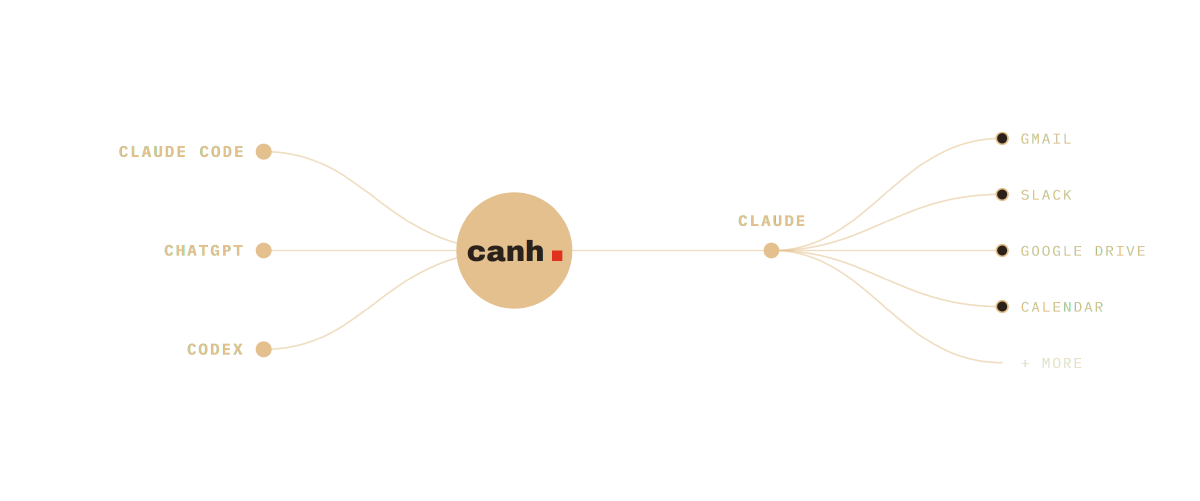
integrates with claude, chatgpt, and more coming soon
there's no app to open, because canh is ai-native
Other tools bolt a chatbot onto an old to-do app. Canh was built the other way around: your tasks live inside the AI assistant you already talk to, so managing them feels like a conversation.
Just say it
Add tasks, set due dates and check what's next in plain language. No forms, no menus.
It stays in sync
One list, the same everywhere you chat — your laptop, your desktop app, or the command line.
Work gets done
Hand a task to a teammate or an AI agent that can pick it up, do it, and mark it done.
work alongside your people and your ai agents
you
Add a task by just saying it, ask what's due, and mark things done — all in the chat you're already in.
your coworkers
Put a task in a shared team and follow along together, without chasing status updates or pinging people.
ai agents
Hand a task to an AI agent that picks it up, does the work on its own, and marks it done when it's finished.
fits the way you already work
Canh ships with prebuilt skills that slot right into your assistant. They reach into the tools you already use — email, Slack, your notes — and bring the work to canh, so nothing changes about how you work. Just ask.
the details, all in your favor
Your own AI plan
Runs on the Claude or ChatGPT subscription you already pay for.
Teams of any size
From a single person startup to a whole company split into separate teams.
Private and shared
Keep tasks in your personal team private, and use shared teams for the people who need access.
Organized with boards
Sort tasks onto boards by project or team so nothing slips through the cracks.
Custom skills
Purpose-built Claude & ChatGPT skills make canh feel like a native part of your assistant.
Web, Desktop & CLI
Works in the web, desktop apps and with developer tools like Claude Code and Codex.
stop opening apps.
start asking.
Connect your assistant once and your to-do list comes with you everywhere you chat.
Get started